![White_favicon.png]](https://help.rask.ai/hs-fs/hubfs/White_favicon.png?height=40&name=White_favicon.png)
Version History allows you track every change made to your project and restore any previous state - so you never lose your work.
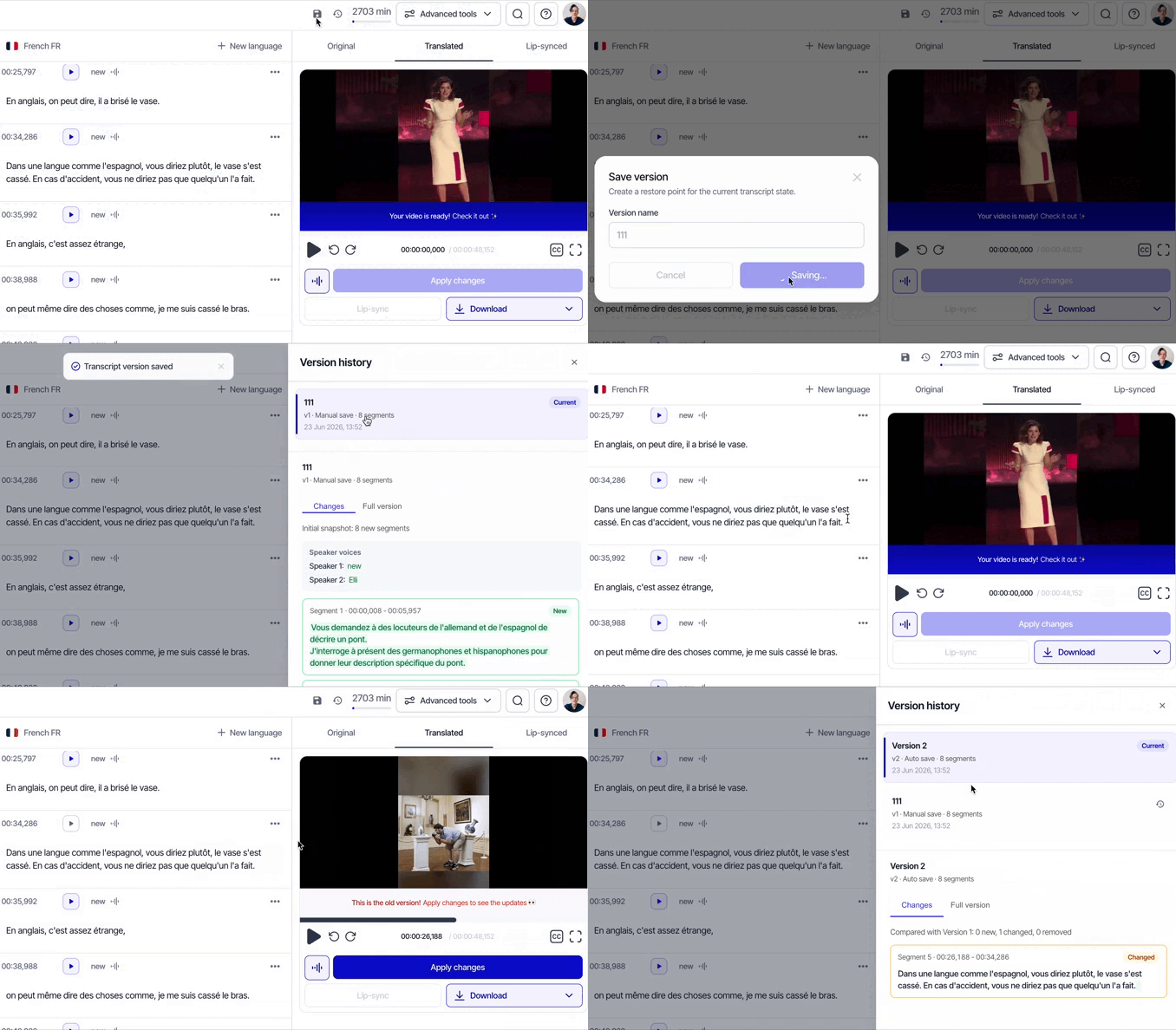
Versions are saved automatically as you edit, and you can also create a manual save at any point to mark a specific milestone — for example, before making major edits or sharing the project with a colleague for review.
To access Version History, open your project and click the Version History icon in the top panel. You'll see a full list of saved versions with timestamps. Click any version to see what changes were made, and view previous versions of the segments so you can restore them if needed.
This is especially useful when:
- you want to experiment with edits without the risk of losing the original
- you're collaborating with a team and need to roll back changes made by a colleague
- you want to compare different translation or dubbing approaches
Need help?
Do you have any other questions about Boosters or Rask in general? Please contact us via the support chat in your Rask account or email us at support@rask.ai.