![White_favicon.png]](https://help.rask.ai/hs-fs/hubfs/White_favicon.png?height=40&name=White_favicon.png)
Do you feel like you've found your plan fit with Rask, but there are one or two features bundled in higher plans that could really boost your workflow?
Meet Boosters!
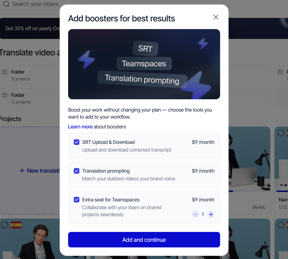
Boosters let you add individual premium features to your existing plan without having to upgrade your entire subscription.
Which boosters are available to me?
|
Depending on your current plan, you can choose from several options:
|
 |
| Feature | Creator | Creator Pro | Business |
| SRT Upload & Download |  Add as a booster Add as a booster |
Included with plan | Included with plan |
| Translation Prompting | Add as a booster |
Add as a booster |
Add as a booster |
|
|
Add as a booster |
3 seats includedAdd extra as a booster |
5 seats included |
How does it work?
Boosters are flexible add-ons that work seamlessly with your existing subscription:
- Add what you need: You can have several boosters active at the same time, and number of extra Teamspaces seats that you can add is unlimited
- Simple recurring billing: Once added, boosters are charged monthly on a recurring basis until you choose to cancel them.
- Synced billing: Your boosters will be billed on the same date as your main subscription, regardless of when you add them.
- Cancel anytime: You can deactivate any booster or decrease the number of extra seats at any time when they are no longer needed.
How do I add boosters?
- Navigate to your Rask account settings or hover over minutes & boosters counter
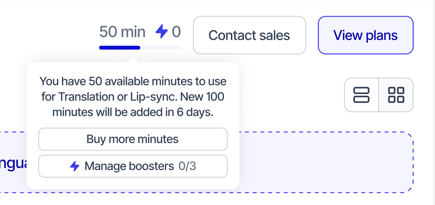
- Click Manage boosters or Add boosters
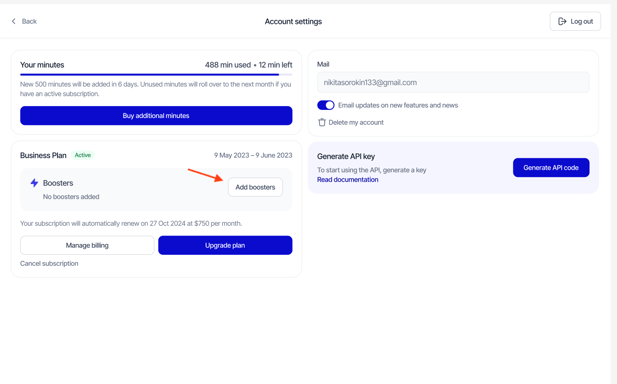
-
Select boosters that you want to add, and click Save and Continue
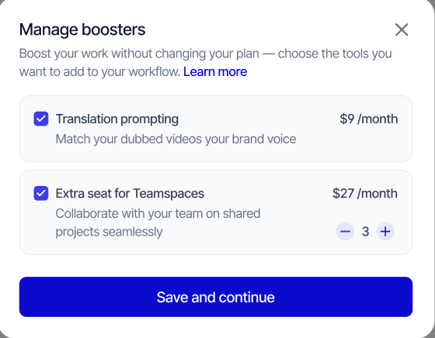
- Review your selection and Proceed to payment
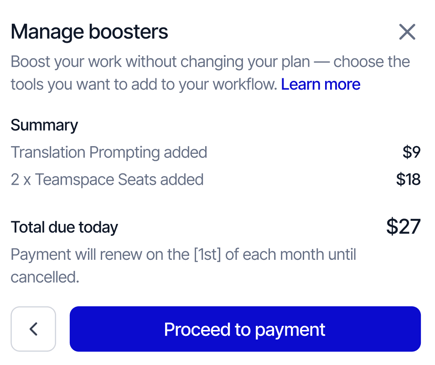
- Done! After payment is processed successfully, selected boosters will be activated on your account.
How to manage boosters?
- Go to your Rask account settings or hover over minutes & boosters counter
- Click Manage boosters button
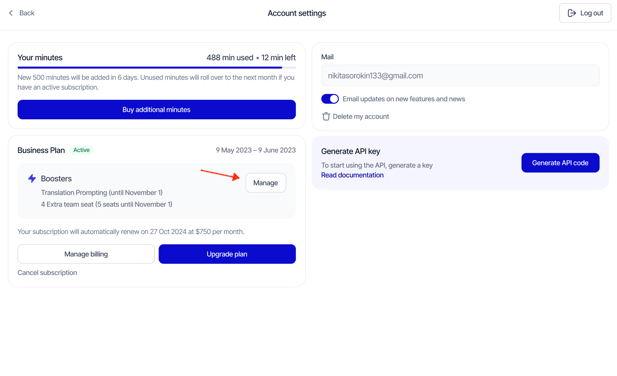
- Select the boosters you wish to activate or deactivate, or increase / decrease number of Teamspaces seats, then click Save and Continue
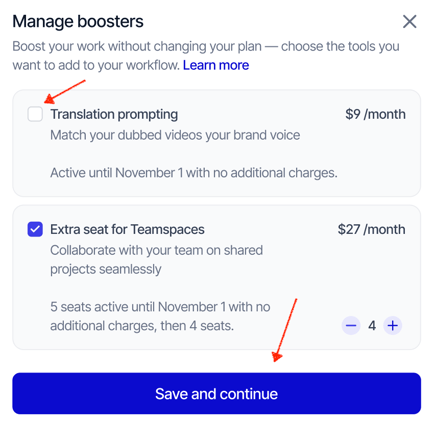
- Confirm changes, or proceed to payment if the number of boosters was increased
What happens to my active boosters when I upgrade or downgrade?
- Boosters like Translation Prompting and Extra Teamspaces Seats stay in place, no matter how your plan changes - you can always change or deactivate them manually when needed.
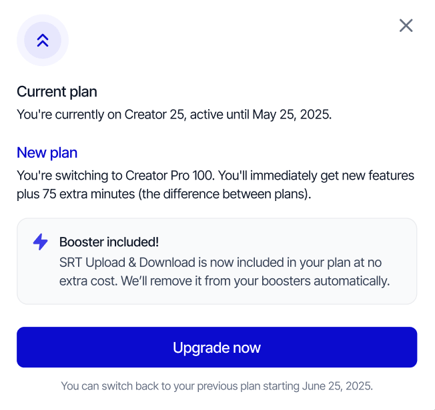
- SRT Upload & Download booster is automatically deactivated, when you upgrade to the plan where this functionality is already included.
Need help?
Do you have any other questions about Boosters or Rask in general? Please contact us via the support chat in your Rask account or email us at support@rask.ai.