![White_favicon.png]](https://help.rask.ai/hs-fs/hubfs/White_favicon.png?height=40&name=White_favicon.png)
How to translate a YouTube video by link
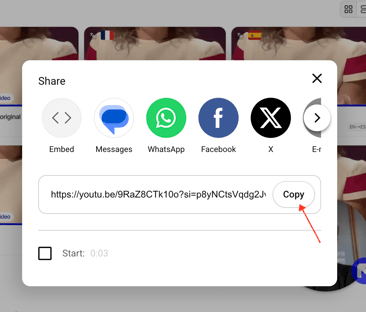
Here's how you can translate a Youtube Video- Copy the link to the YouTube video you would like to translate.
- Paste the link into the field when creating the project.
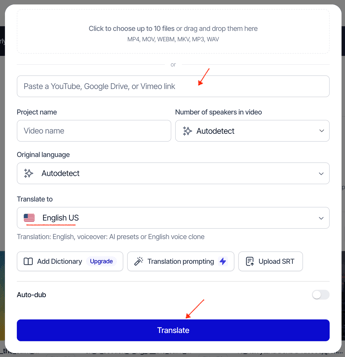
- Select the target language for the translation and click the "Translate" button.
After that, your video will be uploaded to the project, and you will be able to dub it.
What to do if the link upload fails?
-
Check if your Youtube video has a public access by the link
- Use another link instead (GoogleDrive or Vimeo link)
- Upload your video directly from your device.
If you still have more questions, please don't hesitate to contact us through the support chat or via the info@rask.ai mail.